
We built our own site on Storyblok because it matched the way we already build for clients. Choosing the platform was straightforward. The thing that stuck with us was how much more attention the content structure deserved before launch, and how easy that is to underestimate on an internal project.
Building your own agency website is a strange project. There is no client brief, no client-side decision maker, and no one to ask when requirements shift. We were the client, the creative lead, and the development team all at once, which sounds like freedom but mostly means the project keeps sliding while paying work takes priority.
When we finally committed to rebuilding the Hekla site, Storyblok was the obvious choice. We are a Storyblok development agency. We recommend it to clients. We build on it regularly. There really wasn't any other alternative we seriously considered.
The more useful thing to share is what the project taught us about content modelling, and why it deserves more time than most teams give it, ourselves included. So rather than a behind-the-scenes walkthrough where everything works out perfectly, this is about the part we got wrong.
Why we chose Storyblok for our own site
We wanted a headless CMS setup: content separated from the front-end, a visual editing experience that made sense to non-developers, and enough structural flexibility to evolve the site after launch rather than rebuilding it again in eighteen months.
On the front-end, we wanted Next.js. It gives us control over performance, routing and how components are built, which is harder to get from a CMS that ties the front-end to a theme or template system. Pairing it with Storyblok keeps the content and the front-end cleanly separated, so neither one limits the other.
Storyblok also suited how we think about building pages. We tend to break a site into reusable sections rather than long, custom templates, and Storyblok lets an editor assemble a new page from those approved sections without waiting on a developer. We had seen this work well on client projects, so we knew exactly what we were getting. What the project reinforced, once we were using our own site day to day, was just how much the value of that setup depends on the structure underneath it, and how easy that structure is to under-prioritise when the deadline is your own.
The parts of Storyblok that did what we needed
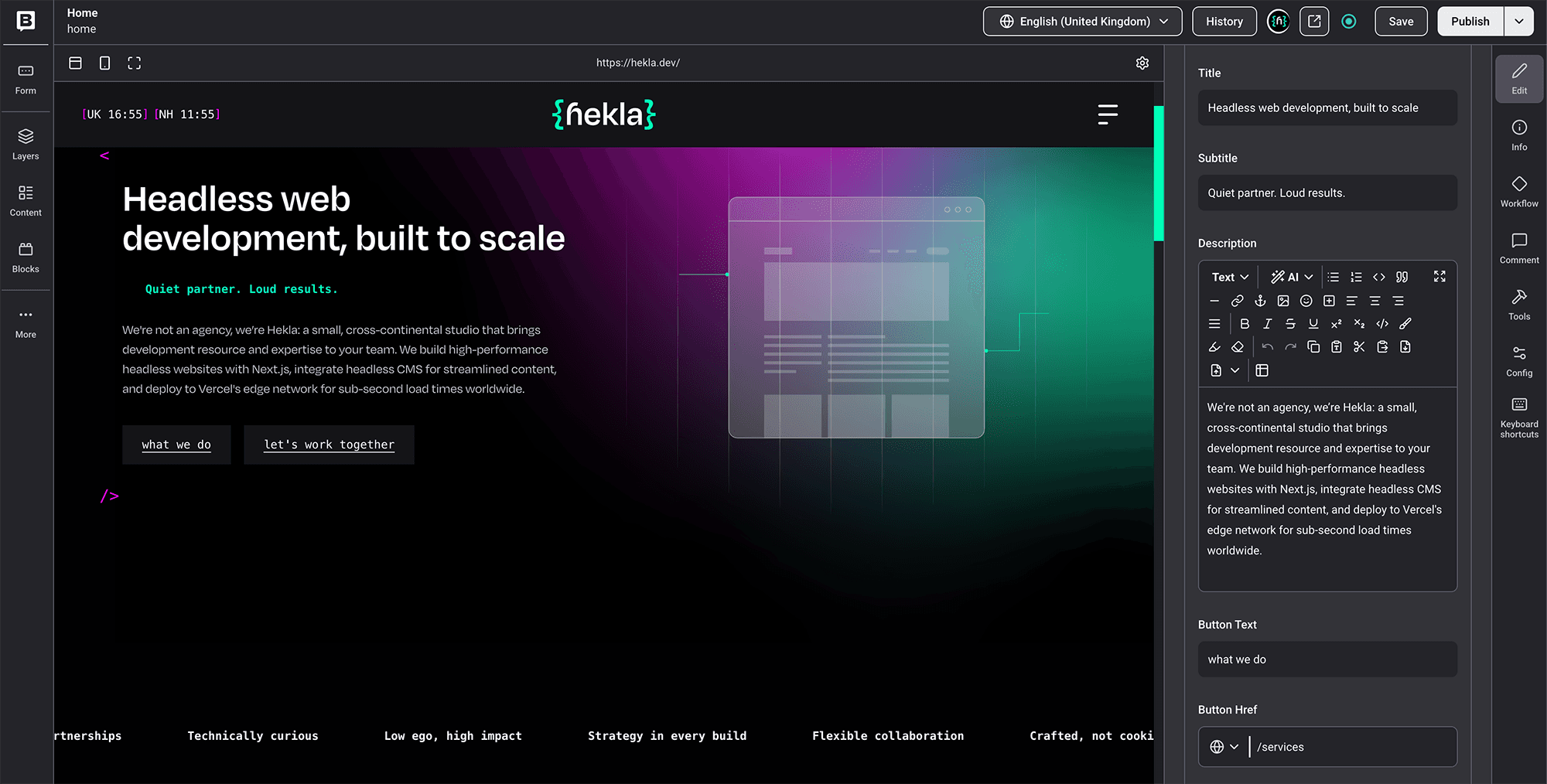
Visual editing made a practical difference
Storyblok's visual editor is one of the things that separates it from some of the more code-focused headless CMS options. Editors work with real page sections rather than abstract fields in a form, and the live preview keeps content from feeling disconnected from the final layout. That reduces the gap between "I typed something" and "I can see how it looks".
The Next.js front-end gave us full control
With Next.js, we had control over routing, component architecture, performance optimisation and SEO implementation from the start. There was no theme to work around, no plugin managing page structure behind the scenes, and no CMS template limiting what the design could do. That control has been useful every time we have wanted to build something the design called for without first checking whether the CMS would allow it. It is exactly why we keep reaching for a Storyblok and Next.js pairing on sites with specific design requirements or complex component systems.
The CMS could grow with the site
One of the things we needed from Storyblok was the ability to add new content types and components after launch without rebuilding the site. That held up. We have added new sections, expanded the blog structure and refined how case studies connect to services, all without disrupting the existing build.
That flexibility has been useful. It also created the main lesson of the project.
The part we should have spent more time on: content structure
Like most internal projects, the Hekla site had a real deadline. Design, development and launch all moved quickly, and the content model was one of the areas that got compressed towards the end. Not badly, but enough to mean some decisions were made faster than they should have been.
A headless CMS gives you the tools to build a good content model. It does not build one for you. Storyblok will happily let you structure content almost any way you want, which is exactly why the planning matters. Get those early decisions right and the CMS stays easy to work with. Rush them, and you spend the next year tidying up.
Components. This is where flexibility needs limits. Some sections should give editors real options, while others should be tightly controlled so the design system makes the decision for them. Working out which is which is not difficult, but it takes time to get right, and that time tends to get squeezed when a launch date is close.
Fields. Keep only the fields that earn their place, and label them so they make sense to someone who is not a developer. Group them the way editors actually think about content, not the way the data happens to be structured. A CMS can have all the right fields and still be confusing if the architecture only makes sense to the person who built it.
Relationships. Decide early which content should be reused across the site and which should live as standalone entries, and work out how things like blog posts, case studies, services, authors and categories connect to each other. These relationships only matter more as a site grows, and they are much harder to restructure later than they are to plan from the start.
Editor experience. Someone should be able to navigate the CMS without a developer nearby, and the editing interface should be clean, predictable and hard to break by accident. The CMS should be organised around how people actually think about the site, not how the developer happened to build it.
Where the rush to launch showed up later
We prioritised getting the site live. A few components were built to solve the page in front of us, rather than the pattern we knew would come up again later: our case study layout, for instance, was shaped around the two we had ready at launch instead of the structure we would actually need once there were ten. Some fields ended up with labels that made sense to us mid-build but read like guesswork to anyone else. And a few content relationships, like how authors connect to posts and how services link back to case studies, only became obvious once we had been publishing properly for a few months.
Storyblok was still the right choice. The real problem was that we had treated some structural decisions as smaller than they really were. Those decisions shape how manageable the site is six months after launch, and twelve months after that.
What we have refined since launch
Once we started using the site as a team rather than as its builders, a few things became clear quickly.
We tightened the component rules. We had built a generic "content block" early on that could hold almost anything: a heading, some text, an image, a button, in whatever combination you liked. It seemed sensible at the time, but in practice every page ended up looking slightly different, and nobody could remember which combination we had used where. Our flexible two-column section had the same problem, since it let editors drop almost any component into either side and quietly drift away from the layouts the design actually called for. So we reduced the options, made the components more opinionated, and the editing experience improved almost immediately.
We improved naming conventions. We had components with names like "Section A" and "Feature block 2" that made perfect sense while we were building them, but meant nothing to anyone opening the CMS later. One field labelled simply "Link" turned out to control where a whole card pointed, which was obvious to us and confusing to everyone else. Renaming things to describe what they actually do, rather than how they came to exist, reduced the need for tribal knowledge.
We separated reusable global content from page-specific content more clearly. Our main call to action had been copied into half a dozen pages, so when we wanted to change the wording before a campaign, we had to hunt down every instance and update them one by one. Service descriptions had the same issue, drifting slightly out of sync depending on which page you landed on. Pulling those into single, reusable entries meant we could update them in one place and trust they would stay consistent everywhere they appeared.
We also added more help text. Small, specific instructions inside the CMS cost very little to write and save a significant amount of confusion over time.
What we would do differently now
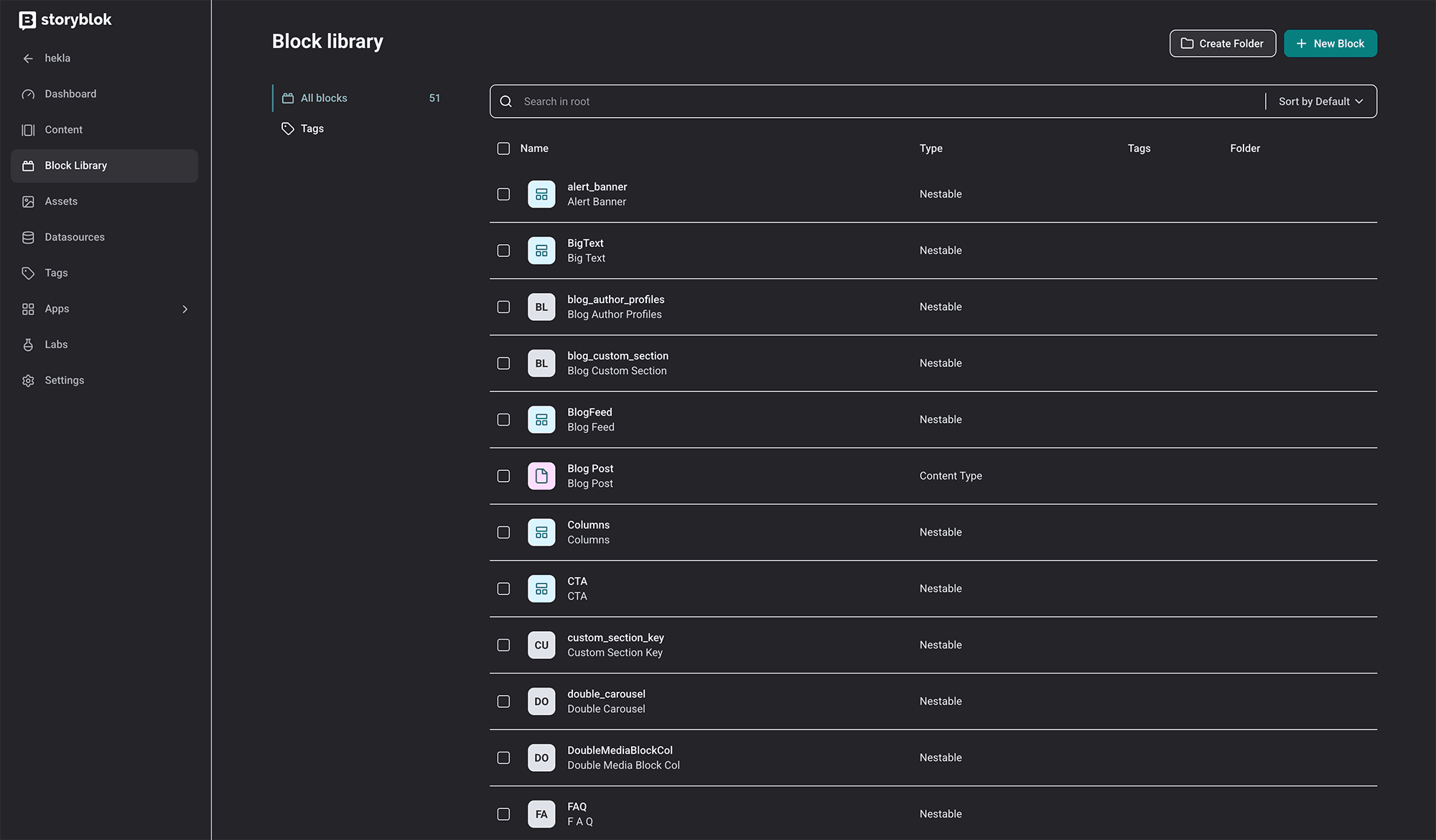
Spend more time on content modelling before development starts
The content model should be treated as a proper project phase, not an implementation detail that gets figured out during the build. Mapping out content types, reusable sections, field structures and editor workflows before any front-end development begins makes every subsequent decision more coherent.
Define component rules before building too much
Decide what each component is for. Decide which fields editors can control and which are fixed by the design system. Avoid giving editors too many design decisions. Flexibility is valuable in the right places, but too much of it in the wrong places creates inconsistency and confusion.
Think about future content, not just launch content
A site should be structured for the pages needed at launch and for the types of content likely to come later: new services, case studies, platform pages, team members, insights, event listings. Planning for that growth at the modelling stage is much easier than retrofitting the structure later.
Give content structure the same respect as visual design
A nicely built front-end counts for very little if the people updating the site dread opening the CMS. How it feels to edit matters as much as how it looks. If the content team finds it frustrating, every update takes longer, and the site ends up slowing down the work it was meant to support.
Storyblok alternatives and why the CMS choice is only part of the decision
There are credible Storyblok alternatives, Contentful, Sanity, Prismic and others. The right CMS depends on the project, the team and the content structure. For component-led websites where marketing teams need to build and publish pages without waiting for developer support, Storyblok is a strong option. The visual editor and the component architecture align well with how modern marketing teams work.
But when people compare Storyblok alternatives, they often focus on feature lists. That matters, but it is not the whole decision. Any headless CMS can be poorly implemented if the content model is rushed. We learned that on our own site: the platform held up fine, but the component rules and content relationships we hurried through were what we ended up reworking later.
We also spend more time early on understanding how the client's content team works: what they publish, how often, who manages it, and what level of editorial control they need. That shapes the CMS structure more than any technical preference.
Storyblok was the right choice. The content model needed more time.
We would not choose a different platform. Storyblok gave us the front-end freedom, the editorial experience and the structural flexibility we needed. What we would do differently is give the content model more dedicated time before the build started. Not a lot more, but enough to get the component rules, field structures and content relationships into a clearer shape before they became harder to change.
For any team choosing a headless CMS or planning a Storyblok project, the platform decision matters less than what comes next. The structure you build inside it, the rules you set for editors, the relationships between content types, and the care you take with the editing experience. Those decisions shape what the site is like to live with, not just how it looks on launch day.
If you're planning a Storyblok or headless build, we can help you think through the structure before anyone starts building components.


Founder and Technical Director
I’m Amy Evans, a front-end engineer with 20 years’ experience building websites for agencies, startups and global brands. I write about coding, tech, AI and the messy bits of delivery that rarely make it into case studies. Away from my screen, I’m usually behind a camera, collaborating with other creatives, or planning my next trip.


Explore our headless website infographic and see how headless can give your team more freedom to design, publish and grow.